
Many request types
Leave, permission, salary advance, salary certificate, attendance correction, out-of-range check-in and shift swap.
Employee requests and approval workflows in Madar bring everything employees send into one place: leaves, permissions, advances, salary certificates and attendance corrections. Each type has an approval route whose steps you define, with a deputy when someone is away and escalation when decisions run late, and the employee is notified of every decision.
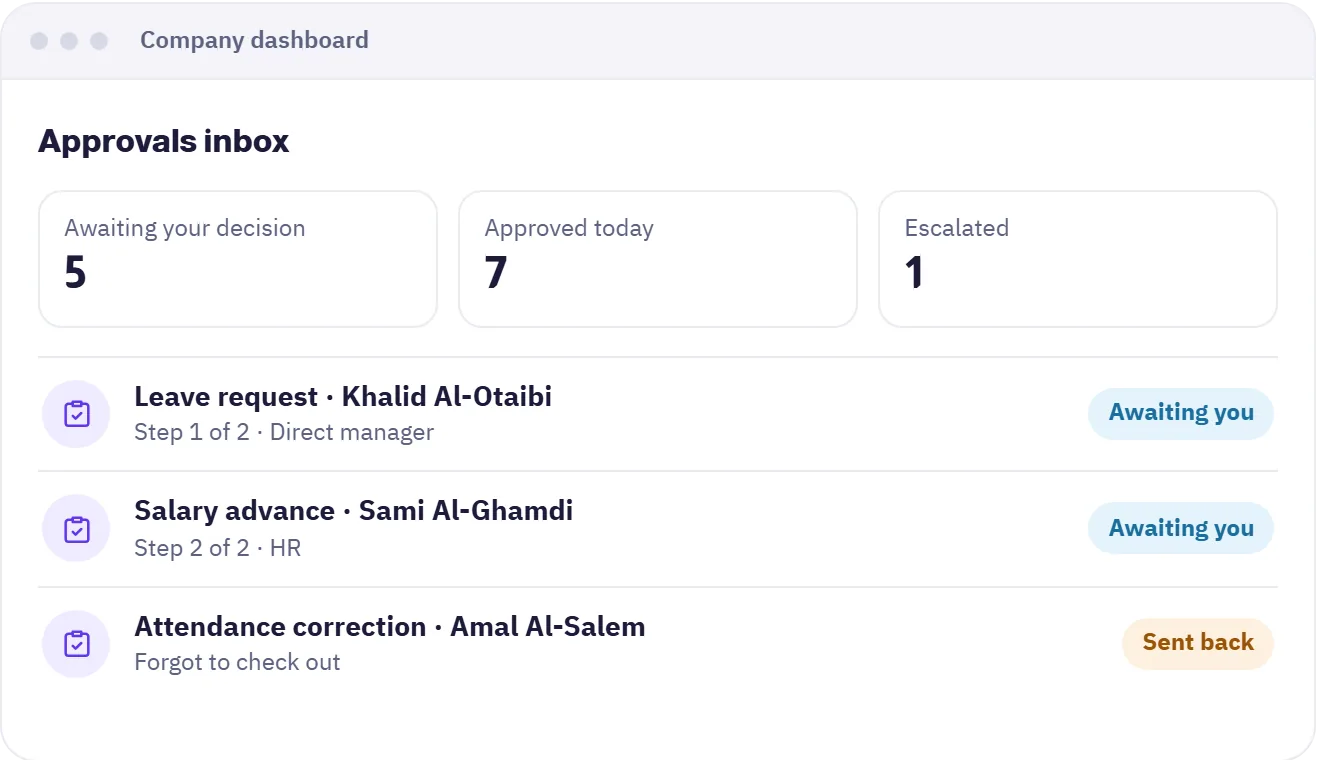

Leave, permission, salary advance, salary certificate, attendance correction, out-of-range check-in and shift swap.
Order the steps: direct manager then HR or any approver you choose, and test the route with a simulation before turning it on.
When an approver is away the decision moves to their deputy, so no request is left hanging.
Set a time limit per step, and if a decision runs late the request escalates to the next approver.
An approver can ask the employee to revise a request, and the reason for every decision is recorded.
Make the route change by the number of days or the amount, and notify the employee and approver on every update.
Choose the steps for each request type and who approves each one.
They pick the request type and add details from the app, and it reaches the first approver at once.
The approver approves, rejects or asks for changes, and the employee sees the result straight away.
The company dashboard for managers and HR, and the mobile app for employees.
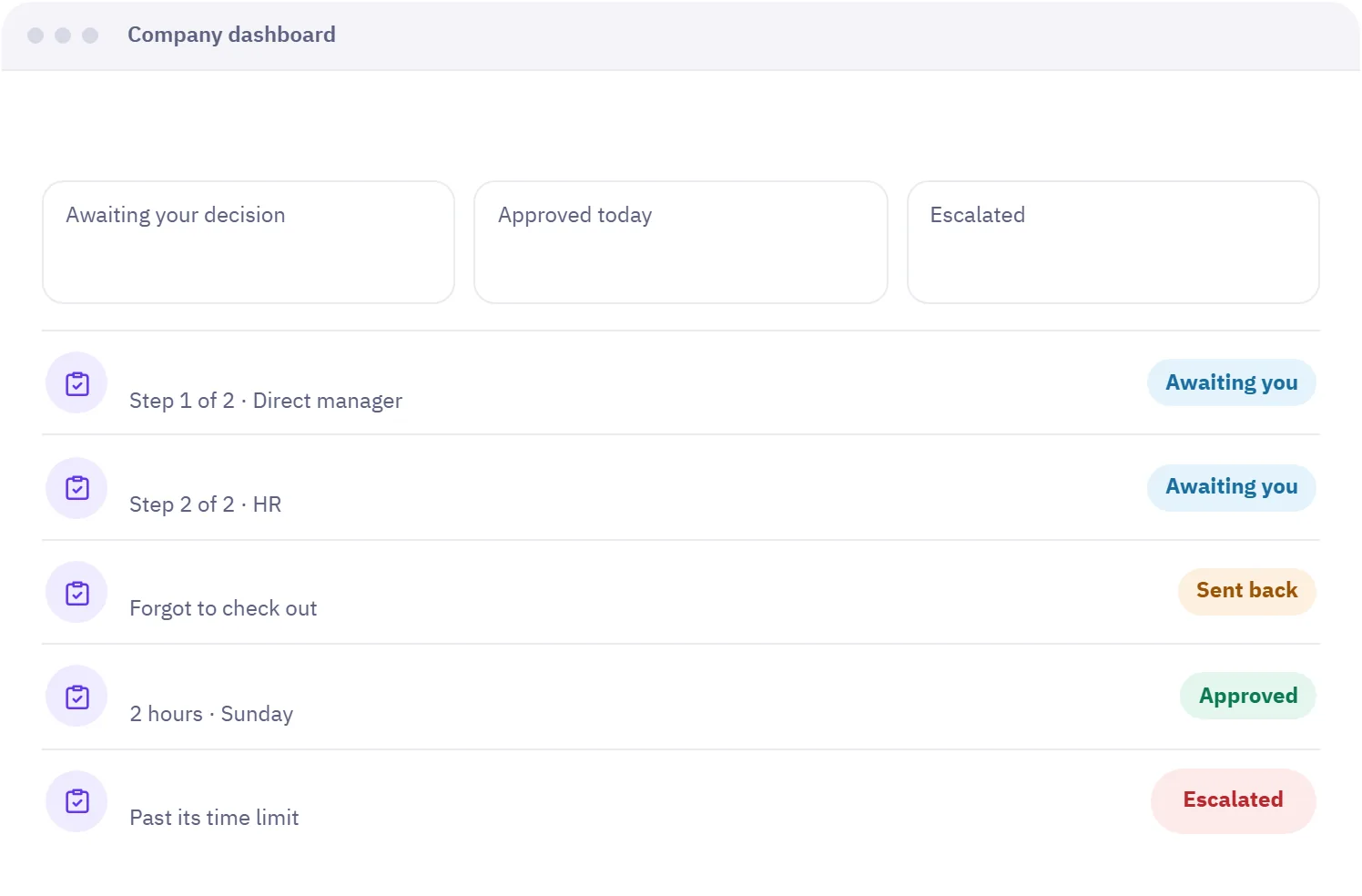
Company dashboard
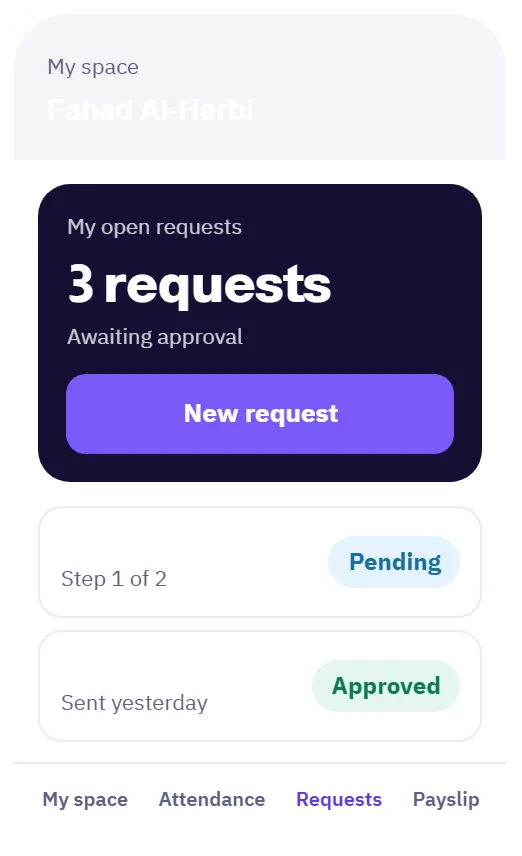
Employee app
Open approval routes and pick the request type, then add steps and choose who approves each one, such as direct manager then HR. You can test the route with a simulation before turning it on.
Yes. A route is a sequence of steps, and the request moves to the next step only after the previous one approves. The employee can see where their request is.
You set a time limit per step. If it passes without a decision, the request escalates to the next approver and they are notified. A deputy can also decide when the approver is away.
Yes. Employees see their open requests and each one's stage in the app, and are notified when a request is approved, rejected or sent back, with the reason for the decision.
Leaves, permissions, salary advances, salary certificates, attendance corrections, out-of-range check-ins and shift swaps. Each type has its own route.
Types, balances and approval, with the balance shown to employees instantly.
Learn about LeavesGeofenced check-in, with lateness and overtime calculated automatically.
Learn about AttendanceMonthly runs, verified payslips, and insurance and advances calculated for you.
Learn about PayrollNo credit card needed. Try every feature with your team, and if you need help setting up, we are on WhatsApp.
A free 20-minute consultation: we learn your team size and recommend the right setup. No commitment.